Claude Ads is a free, open source plugin for Claude Code that audits ad accounts on 12 platforms. You give it an export, screenshots or a short summary with dates. It tells you what passed, what failed, what it could not check and what to fix first. It does not log in for you and it does not change your accounts. This guide walks through version 2.1.0, released on October 16, 2026, following the video below.
Method: every product statement here was checked against the v2.1.0 release notes and the repository on October 17, 2026. The platform dates were checked the same day against each platform's own documentation, linked where they appear.
Key takeaways
- Install takes two plugin commands, then one setup per business.
- It works from what you give it: exports, screenshots or a dated summary. No API keys or passwords.
- Every check ends in pass, fail, unknown or not applicable. Unknown means the evidence was missing, and the report is designed to name what would settle it.
- It drafts changes. You approve and apply them yourself.
- There is no health score in v2.1.0. Scoring is off for all 12 platforms.
Install Claude Ads in Claude Code
Claude Code is the main home for Claude Ads. In a Claude Code session, add the marketplace and install the plugin:
/plugin marketplace add agricidaniel/claude-ads
/plugin install claude-ads@ai-marketing-hub-claude-ads
These are the standard plugin commands from
Anthropic's plugin documentation:
/plugin marketplace add takes the GitHub owner/repo, and /plugin install takes
plugin@marketplace. Claude Code may open a short panel to choose the install scope
before it finishes.
Then run setup. Plugin installs use the namespaced /claude-ads:ads setup, and
standalone installs use /ads setup. Both load the same skill. This guide writes the
short /ads form for every command.
A few practical notes from the README:
- Managed dependencies need CPython 3.11 or 3.12, and Linux needs glibc 2.28 or later.
- If you added the marketplace before v2.0.0, remove the old
agricidaniel-claude-adsalias first, then add it again. - You can also clone the repository and run its installer, or ask your agent to install it. Claude Ads steers agents to the native plugin flow and refuses to pipe a remote script into a shell.
The original project is github.com/AgriciDaniel/claude-ads, MIT licensed. Copies with other check counts and platform lists exist on GitHub. This guide describes only the original.
The three steps, start to finish
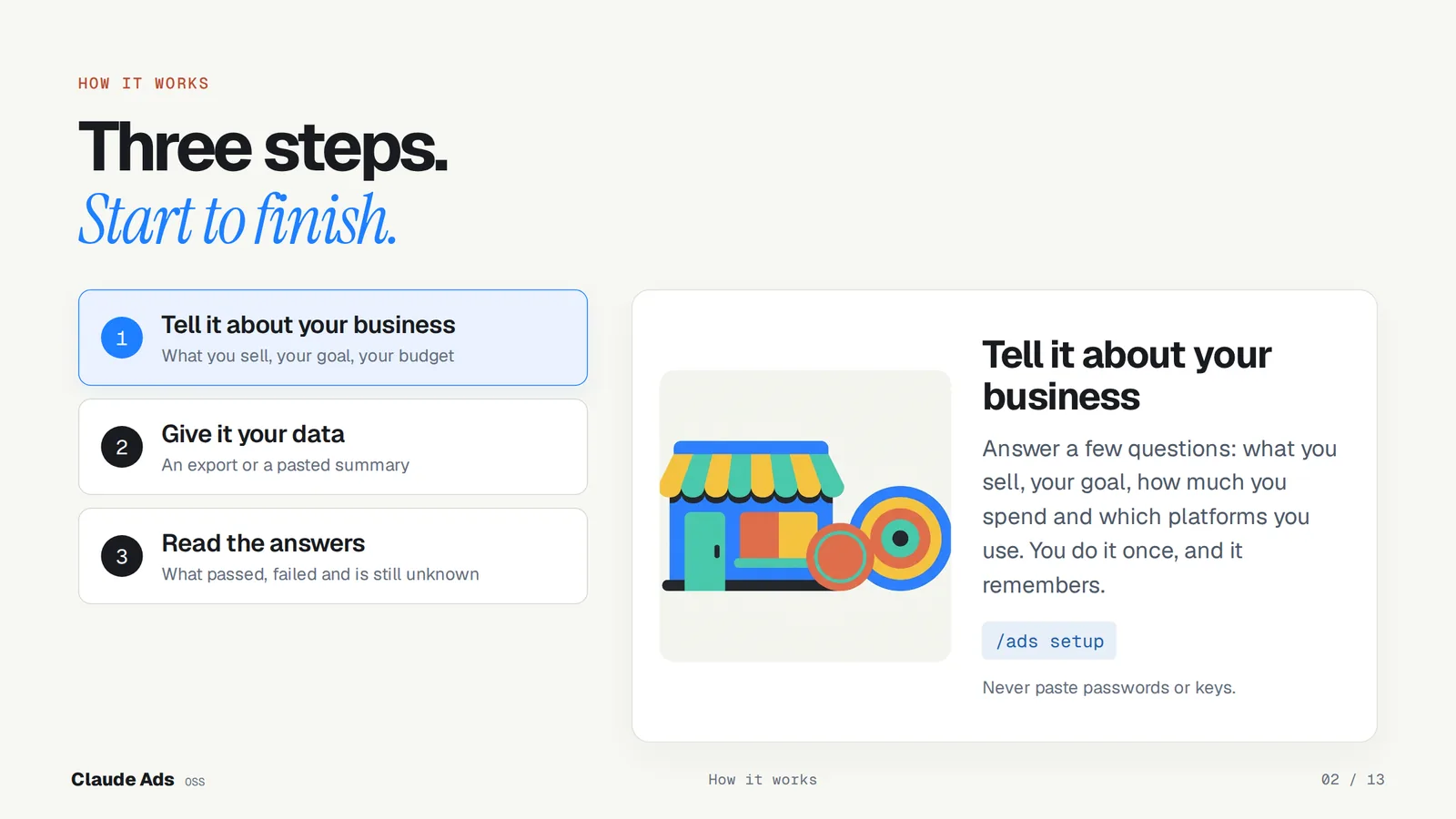
- Tell it about your business.
/ads setupasks about your business model, goal, main conversion, monthly spend, active platforms and who approves changes. You do it once and it remembers. It refuses to store API keys, tokens or passwords, so don't paste them. - Give it your data. Export a report from the ad account (CSV or JSON), take screenshots, or paste a short summary. Include the date range, currency and time zone, because the audit judges evidence for a period, not an account in general.
- Read the answers. Run a platform audit such as
/ads googleor/ads audit google, or everything at once with/ads audit all. The report says what passed, what failed, what could not be checked and what to fix first./ads nextshows the most important blocker, and/ads reportbrings back an earlier run.
What it checks on each platform
Each platform has its own audit command, a focused skill and an audit worker with a written control list. In plain words:
| Platform and command | What it checks |
|---|---|
Google Ads/ads google | Conversion tracking, keywords and search terms, Quality Score, bidding, budgets, Performance Max, Demand Gen, assets, settings and policy |
Meta Ads/ads meta | Pixel and Conversions API, Event Match Quality, learning phase, attribution, creative variety and fatigue, structure, audiences and placements |
YouTube Ads/ads youtube | Video campaign setup, whether the opening earns attention, hooks and formats, Shorts and CTV, audiences, frequency, brand safety and measurement |
LinkedIn Ads/ads linkedin | Insight Tag and conversions, job title and company targeting, lead form friction, creative refresh, bidding, pacing and ABM |
TikTok Ads/ads tiktok | Pixel and Events API, vertical video, hooks, creative fatigue, Smart+, Shop, bidding, pacing and audiences |
Microsoft Advertising/ads microsoft | UET and conversions, Google Ads imports, syndication and Audience Network, bidding, assets and Copilot placements |
Apple Ads/ads apple | Install attribution (AdServices and MMP), post-install events, keyword structure and Search Match, placements, product pages, bids and budget |
Amazon Ads/ads amazon | Profiles and regions, attribution windows, orders, sales, ACOS, ROAS and TACOS kept apart, portfolios, Sponsored ads, DSP and search-term harvesting |
Reddit Ads/ads reddit | Pixel and Conversions API, objective versus business outcome, prospecting and retargeting overlap, community targeting, native creative and brand safety |
Pinterest Ads/ads pinterest | Pinterest Tag and Conversions API, catalog and shopping readiness, visual creative, audiences, Performance+, bidding and brand safety |
Snapchat Ads/ads snapchat | Snap Pixel and Conversions API, app measurement, mobile-first creative, AR and catalog formats, audiences, bidding and pacing |
X Ads/ads x | Website and app measurement, objectives, keyword and conversation targeting, creative, bidding, placements, brand safety and eligibility |
The platform pages on this site go further, for example Google Ads and Meta Ads.
Four answers, and one of them is "I don't know"
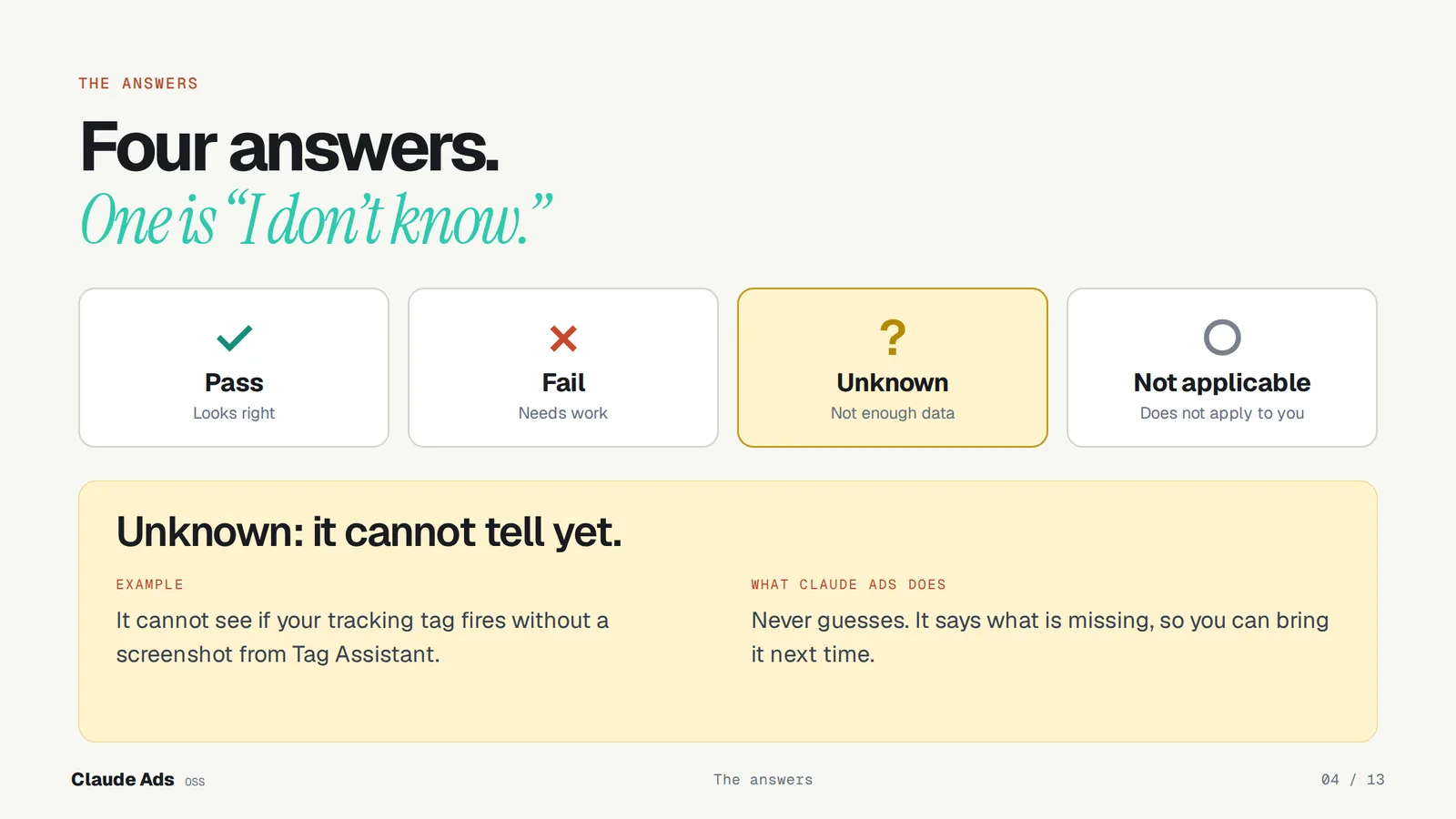
Every check ends in one of four results: pass, fail, unknown or not applicable. A pass or a fail must carry at least one piece of evidence. Unknown means the check applies but the evidence is missing or inconclusive, and the result is designed to list the missing inputs so you know what to bring next time.
A concrete case: Claude Ads cannot tell whether your tracking tag fires from a campaign export alone. Without a screenshot from a diagnostic such as Tag Assistant, that check stays unknown instead of turning into a guessed pass or fail.
This is the main difference from tools that hand you one confident grade. An audit that marks missing evidence as unknown looks less impressive, but you can act on it: the next step is often "export this report", not "change this campaign".
It reads, it does not touch
Claude Ads does not log in for you. It reads the exports, screenshots and summaries you give it, and it does not store passwords or keys. Every platform's account changes are disabled in v2.1.0. Ask it to raise a daily budget and it writes a draft with the before and after; nothing changes in the account until you approve the change and apply it yourself. Ask it to fill in a number you forgot and it is built to say the number is missing rather than estimate it.
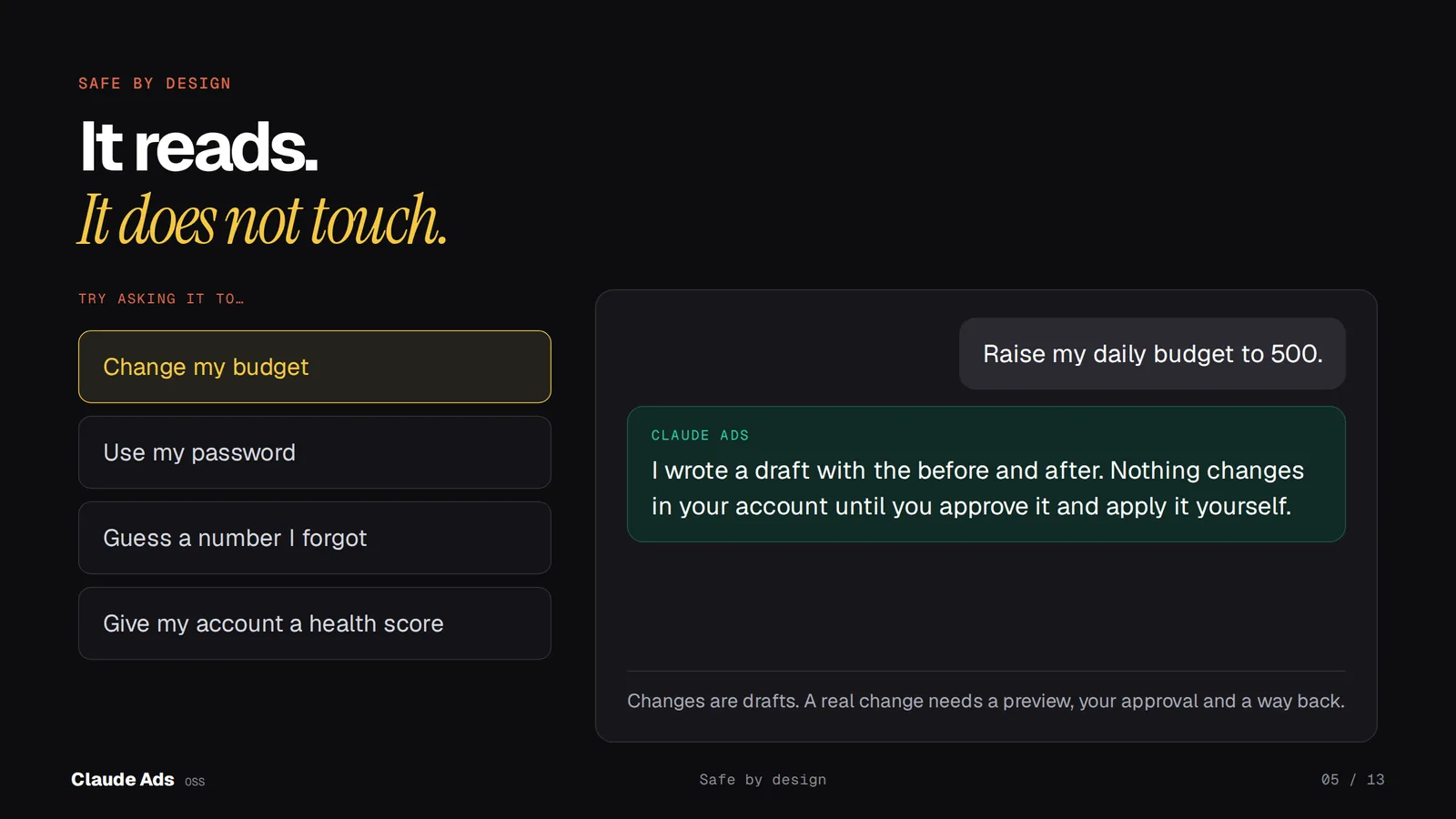
The drafts-first article covers why changes stay drafts and what a reviewed change needs before it can be applied.
New in v2.1.0: the Cockpit preview
Cockpit is an optional companion, version 0.1.0, installed as its own plugin and off by default. It opens a pane next to Claude Code and shows a finished audit at a glance: how much could be judged, a meter per platform and per topic, and the first checks to fix. Other tabs show the checks, the input files, a comparison with an earlier run and report receipts. It never calls an advertising API.
/plugin install ads-cockpit@ai-marketing-hub-claude-ads
Before the pane or the demo works, set two paths with
claude plugin configure ads-cockpit: where the Claude Ads core lives and which
Python to use. Until then it says "Not set up yet". Then try /ads-cockpit demo,
which walks through a synthetic audit of four platforms, so no account is needed.
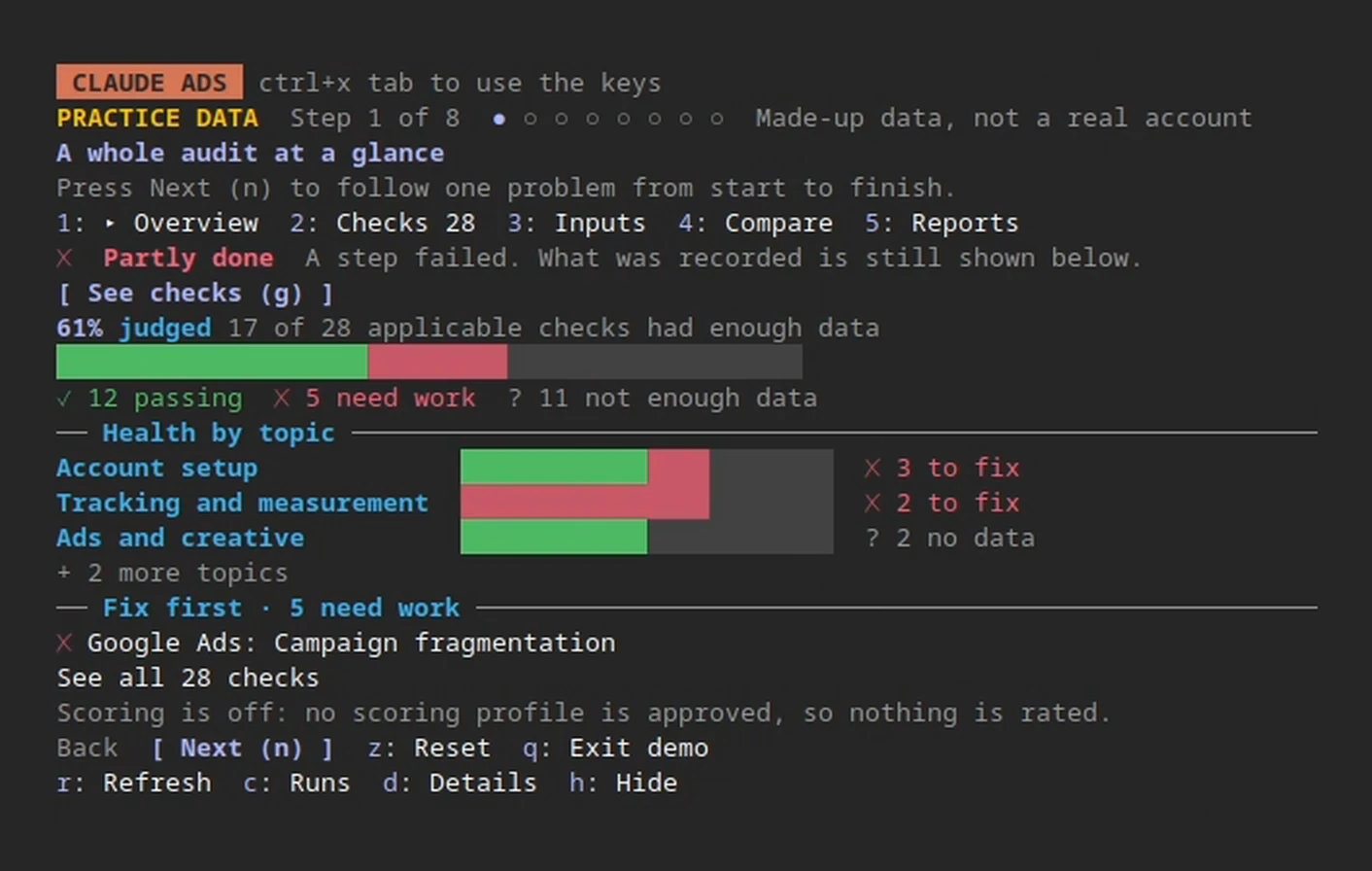
Look at the bottom of that frame: "Scoring is off: no scoring profile is approved, so nothing is rated." The Cockpit counts checks. It does not grade the account.
The demo then follows one problem from stuck to sorted: Google Ads keyword evidence is missing, so the check waits and says why. You add the corrected file, the Cockpit validates it, you compare before and after, and you save a report with a receipt. This is precomputed demo content. In real use, the audit itself runs in Claude Code.
Cockpit is a preview. It has been checked on Linux; native Windows and macOS behavior has not been verified, and Windows refuses to process client runs for now.
Keyword clashes it catches in Google Ads
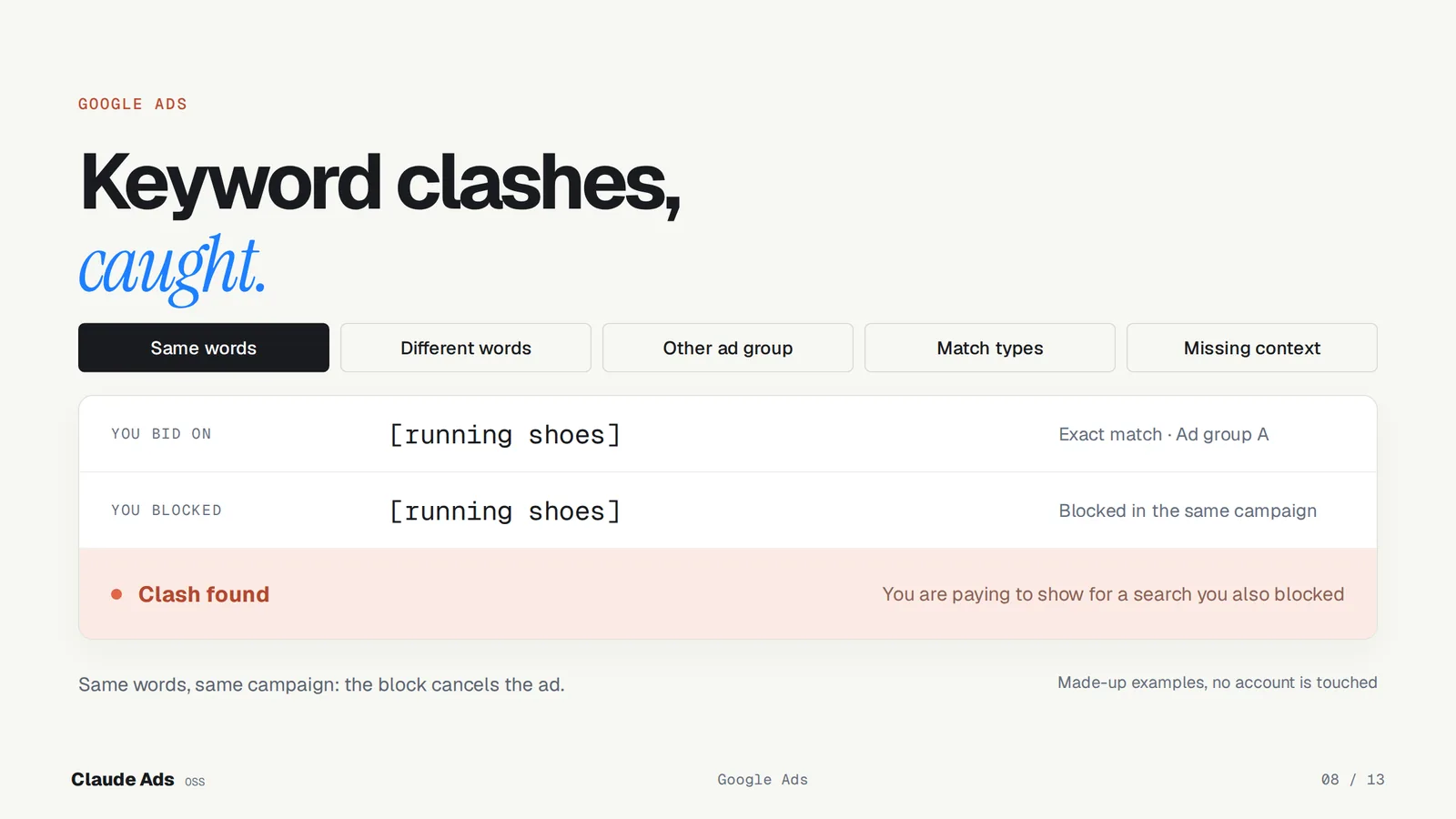
A common way to waste budget is bidding on a keyword that one of your own negatives blocks. For Google Ads, Claude Ads checks for exactly that, following the rules in its reference notes:
- Same words. A negative exact keyword blocks a keyword only with the same words, in the same order, with nothing extra.
- Match types. A negative phrase blocks when its words appear together and in order inside your keyword. A negative broad blocks when all its words appear, in any order.
- Different words. Negatives do not expand to synonyms, close variants or plurals. Near-identical spellings are flagged for review, not called a clash.
- Where it applies. Only negatives in the same ad group, the same campaign, an attached list or at account level count. A negative in another ad group or another campaign does not block.
- Missing context. If the export does not show which keywords are negatives, the answer is unknown. v2.1.0 also fixed a bug where negatives were counted as enabled keywords.
For the rest of the search-term work, see adding negative keywords with evidence.
Advice that stays current
Ad platforms change their APIs and features on a schedule, and audit advice goes stale with them. Claude Ads keeps dated sources and claims in its repository; this release refreshed them on October 12 and 16, 2026. Four changes from the video, checked against the official pages on October 17, 2026:
| Platform and source | What changed |
|---|---|
| Microsoft Advertising Migrate to REST API | SOAP integrations stay supported through January 31, 2027, when full SOAP deprecation is scheduled. Plan the move to REST before then. |
| Google Ads Smart campaigns, Google Ads API | Since September 23, 2026, the Google Ads API no longer supports creating Smart campaigns. Existing ones keep serving and can still be updated. |
| Reddit Ads Reddit Ads API v3 history | Since September 30, 2026, the Ads API no longer creates onsite lead generation forms, and existing ads using onsite forms are paused. From December 8, 2026, hourly report requests are limited to ranges of 7 days or less. |
| LinkedIn LinkedIn API migrations | Marketing API version 202510 was scheduled to sunset on October 15, 2026, and version 202511 sunsets on November 16, 2026. Check which version your tools call. |
The Google and Reddit notices are about their APIs. If you only manage those campaigns in the platform's own interface, read the notice before assuming it affects you. These are mid-October 2026 facts, and dates can move.
Testing, security and report formats
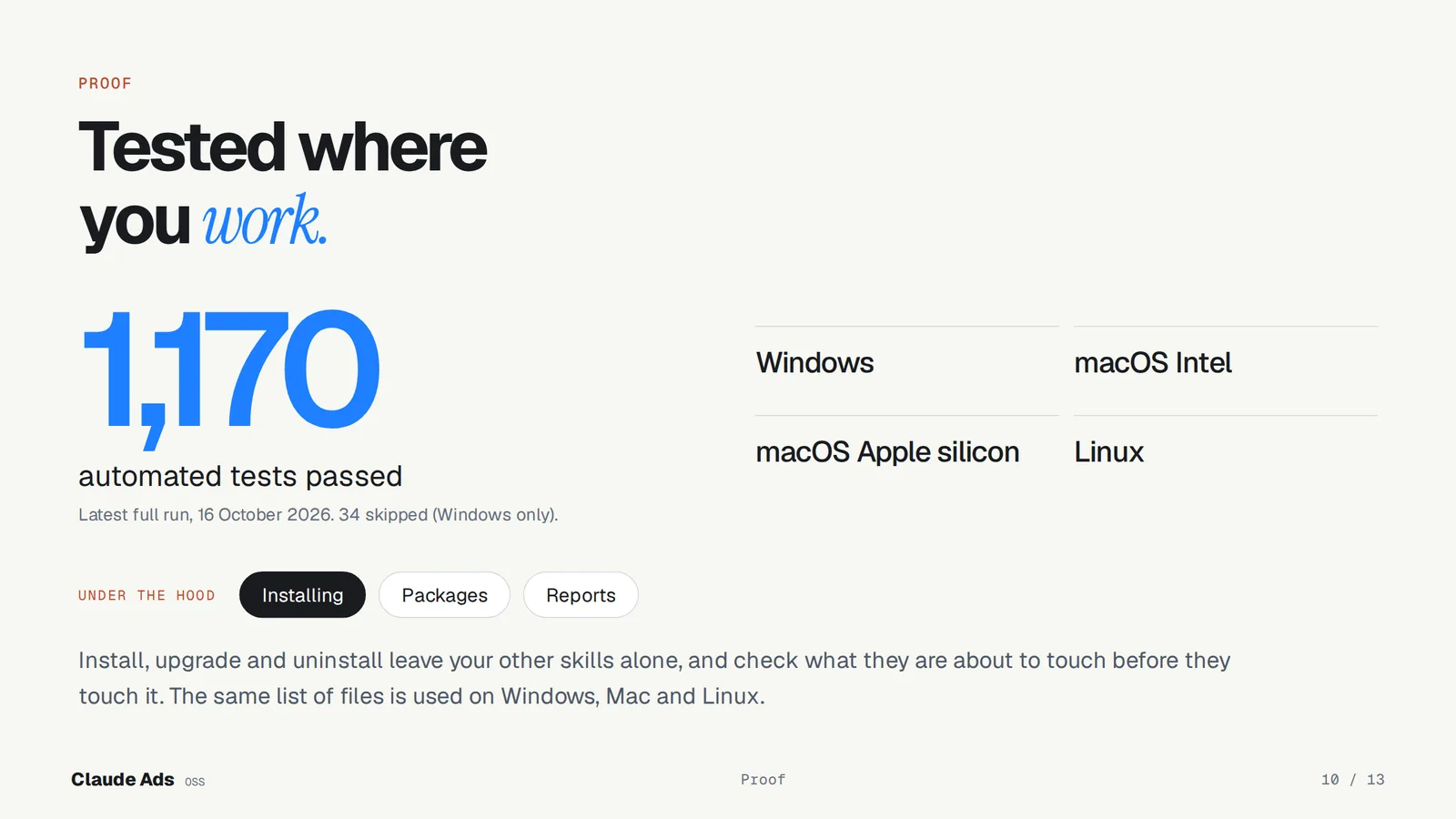
The v2.1.0 release notes report 1,170 local tests passing, with 34 Windows and PowerShell tests skipped. Public CI tested the installers on Windows, macOS (Intel and Apple silicon) and Linux, including a glibc 2.28 floor. Install, upgrade and uninstall build their plan before they touch anything, leave unrelated skills alone and use the same file list on every system.
Dependencies were updated in this release (Pillow 12.3.0, urllib3 2.8.0 and WeasyPrint 70.0). At the October 7, 2026 dependency check, the three advisories reported against the cryptography package were reviewed and recorded as not affecting Claude Ads; new or unhandled advisories fail the check.
A finished audit can be rendered as Markdown, an HTML page or a PDF with
/ads report. PDF needs the optional WeasyPrint renderer and its system libraries;
when they are missing, it says so plainly and you can render Markdown or HTML
instead.
The project still labels itself a development candidate: v2.1.0 is published, but the release notes do not claim that every one of its own release gates has passed.
What Claude Ads does not do yet
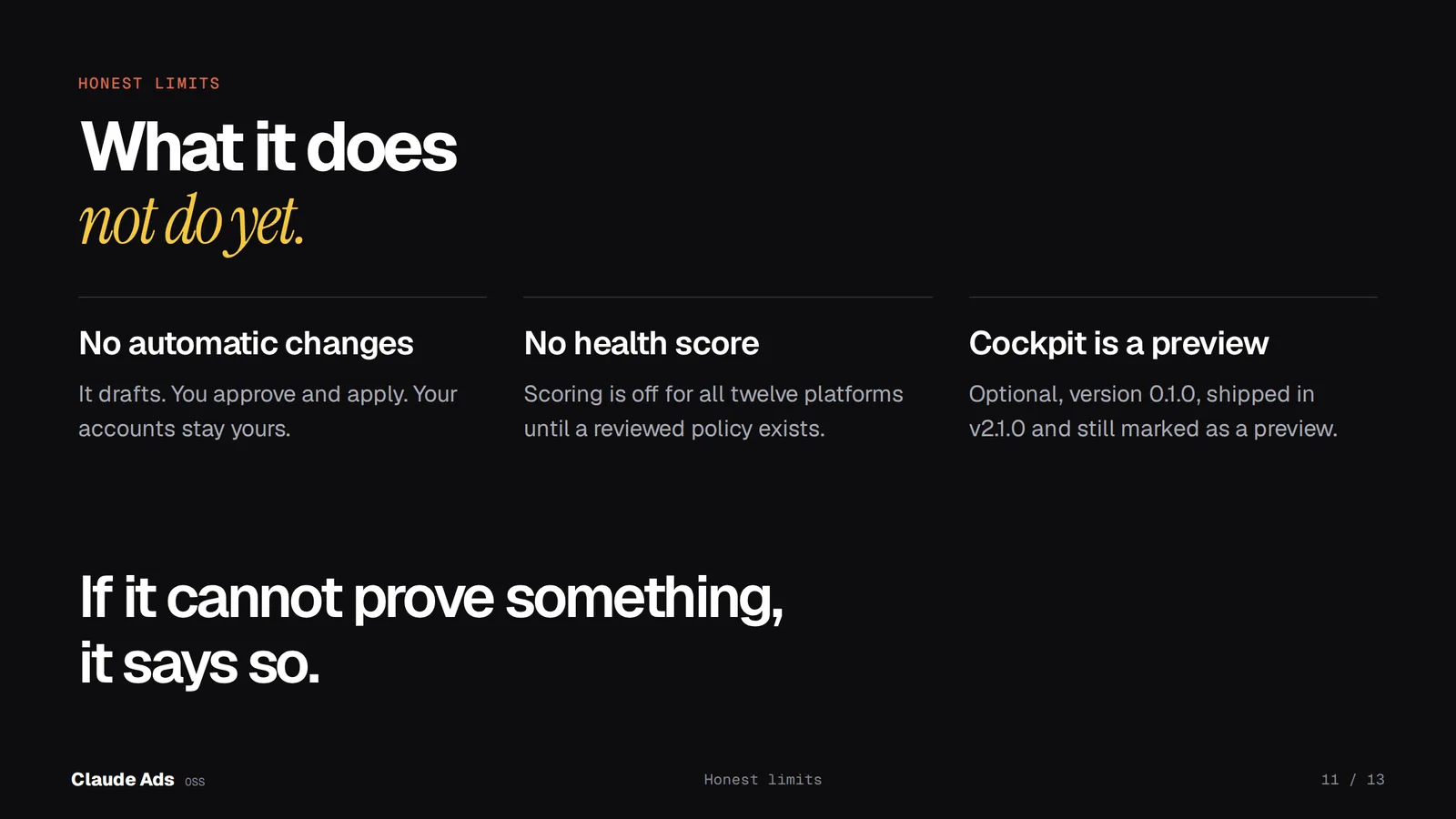
- No automatic changes. It drafts; you approve and apply.
- No health score. All 12 scoring profiles are disabled in v2.1.0, so no account gets a 0 to 100 grade. Every check still ends in one of the four answers.
- Cockpit is a preview. It is an optional 0.1.0 companion, checked on Linux, with native acceptance still pending.
- No built-in live access. It ships no login or live account reader; the audit works from the evidence you provide.
It is built to say so when it cannot prove something. That is the point of the tool.
Questions people ask
Is Claude Ads made by Anthropic? No. It is an independent open source project by Agrici Daniel, built for Claude Code. It is not affiliated with Anthropic, Google, Meta or any ad platform.
Does it cost anything? The plugin is free under the MIT license. Claude Code itself is not free: Anthropic's setup guide says it needs a Pro, Max, Team, Enterprise or Console account, or a supported cloud provider. Other agent hosts are experimental; only Claude Code is verified.
Can it audit without API access? Yes, that is the normal way to use it. It works from CSV or JSON exports, screenshots and dated summaries.
Is it safe to point it at a client account? It does not log in for you, does not store secrets and has every account change disabled. Share only the exports you are allowed to share, and keep keys and passwords out of the chat.
Why do I get so many unknowns? Usually the evidence for that check was not in what you gave it. Each unknown is designed to list the missing input; bring it and run the audit again.
Start with one account
Install it, run /ads setup, export one recent report from the platform where you
spend the most, and run the audit for that platform. Read the unknowns first: they
tell you which evidence to bring next. For a deeper Google Ads pass, continue with
the Google Ads audit guide.
About the author: Agrici Daniel builds and maintains Claude Ads and publishes the walkthrough videos for it. This guide describes his own open source project; it is not affiliated with Anthropic or any ad platform.
Sources
- Claude Ads v2.1.0 release notes (checked October 17, 2026)
- Claude Ads repository and README (checked October 17, 2026)
- Anthropic: Install and manage plugins in Claude Code (checked October 17, 2026)
- Microsoft Advertising: Migrate to REST API (checked October 17, 2026)
- Google Ads API: Smart campaigns (checked October 17, 2026)
- Reddit Ads API v3 history (checked October 17, 2026)
- LinkedIn Marketing API migrations (checked October 17, 2026)
- Anthropic: Set up Claude Code, account requirements (checked October 17, 2026)